UPDATED - How To Online Update or Change Email ID and Mobile in ICICI Mutual Fund?


Finance Guru Speaks: This article will provide UPDATED* Steps on how to change or update your Email ID and/or Mobile No. online in ICICI Prudential Mutual Fund.


How To Update Email ID and Mobile in ICICI Prudential Mutual Fund


The steps mentioned in the old article How To Online Update or Change Email ID and Mobile in ICICI Mutual Fund? are no longer valid due to changes in the Mutual Fund website.

You need to have either an Email ID or Mobile Number registered against your Mutual Fund Account in order to perform the online update. 

Steps to online update your Email ID and/or Mobile No. in ICICI Prudential Mutal Fund:-


1. Visit ICICI Prudential MF Page by clicking here.

2. As shown below, enter your PAN No. and click on Submit button:-
How To Change Email ID and Mobile in ICICI Prudential Mutual Fund
ICICI Mutual Fund - Update Contact Details
3. On the Next page, select your Folio No. from the dropdown list and click on Get OTP button:-
How To Change Email ID and Mobile in ICICI Prudential Mutual Fund
ICICI Mutual Fund - Update Contact Details
4. You can choose to receive an OTP on your registered EMail Address or Mobile No.


In this article, we are choosing to verify our Folio via our EMail-ID. Click on Verify Using Email option:-
How To Change Email ID and Mobile in ICICI Prudential Mutual Fund
ICICI Mutual Fund - Update Contact Details
5. Enter the OTP received on your registered EMail Address and click on Verify:-
How To Change Email ID and Mobile in ICICI Prudential Mutual Fund
ICICI Mutual Fund - Update Contact Details
6. Now you can change or modify your EMail or Mobile details and click on Update:-
How To Change Email ID and Mobile in ICICI Prudential Mutual Fund
ICICI Mutual Fund - Update Contact Details

Congratulations! You have successfully updated your Email ID/Mobile No. in ICICI Prudential Mutual Fund.

Images Courtesy: ICICI Prudential Mutual Fund

Please help to like, share, and comment on this article over your Social Networks. Thanks.


Also Read:

Articles about ICICI Mutual Fund

How To Sell or Redeem Online From ICICI Prudential Mutual Fund?


Finance Guru Speaks: This article will provide information on how you can Online Redeem or Sell and withdraw your Money from ICICI Prudential Mutual Fund.

How to Withdraw Money from ICICI Prudential Mutual Fund


In this article, we are showing steps to Sell ICICI Prudential Long Term Bond Fund. You may select any other Mutual fund scheme, steps will remain the same. Make sure to update your Email and Mobile correctly against your Folio No.

Steps to follow to online Sell or Redeem in ICICI Prudential Mutual Fund:-


1.  Open ICICI Prudential Mutual Fund website and click on LOGIN button after providing your UserName and Password:-
ICICI Prudential Mutual Fund - Login Page
NOTE: If you don't have access to their website, then you can register your Folio by following instructions mentioned in this link. It will help to generate your User Name and Password to login.

2. In the Home page, click on MY PORTFOLIO link as shown below:-
ICICI Prudential Mutual Fund - Redeem
ICICI Prudential Mutual Fund - Sell
3. Click on VIEW ALL FOLIOS button:-
ICICI Prudential Mutual Fund - Redeem
Click to enlarge - ICICI Prudential Mutual Fund - Sell
4. On the Next Screen, against ICICI Prudential Long Term Bond Fundclick on REDEEM button, as shown below:-
ICICI Prudential Mutual Fund - Redeem
Click to enlarge - ICICI Prudential Mutual Fund - Sell
5. On the Next Screen, check your registered Bank. Select All Units if you want to redeem or sell the Mutual Fund completely. Else, enter no. of Units or Amount which you want to redeem. Accept the T&C's and click on REDEEM button:-


ICICI Prudential Mutual Fund - Redeem
Click to enlarge - ICICI Prudential Mutual Fund - Sell
6. On the Next Screen, Accept the Read/Agree and click on REDEEM button:-
ICICI Prudential Mutual Fund - Redeem
ICICI Prudential Mutual Fund - Sell
7. On the Next Screen, enter the received OTP on your Mail/SMS and click on Confirm button:-
ICICI Prudential Mutual Fund - Redeem
ICICI Prudential Mutual Fund - Sell
Congratulations on your successful Online Redemption or Sell of ICICI Prudential Mutual Fund. The redemption amount will be credited to your registered Bank Account.
ICICI Prudential Mutual Fund - Redeem
Click to enlarge - ICICI Prudential Mutual Fund - Sell


Images Courtesy: ICICI Prudential Mutual Fund Website

Please help to like, share and comment on this article over your Social Networks. Thanks.
Also read:

4 Easy Steps To Stop or Cancel SIP In ICICI Prudential Mutual Fund


Finance Guru Speaks: This article will provide information on how you can stop or cancel your SIP in ICICI Prudential Mutual Fund.


You may select any other Mutual fund scheme, steps will remain the same. Make sure to update your Email and Mobile correctly against your Folio No.

Steps to follow to online cancel or stop SIP in ICICI Prudential Mutual Fund:-


1.  Open ICICI Prudential Mutual Fund website and click on LOGIN button after providing your User Name and Password:-
ICICI Prudential Mutual Fund - Login Page
NOTE: If you don't have access to their website, then you can register your Folio by following instructions mentioned in this link. It will help to generate your User Name and Password to login.

2. In the Home page, click on MAKE A TRANSACTION link as shown below:-
ICICI Prudential Mutual Fund - Cancel SIP
3. On the Next Screen, select your Folio No. and click on CANCEL ISIP button, as shown below:-

ICICI Prudential Mutual Fund - Cancel SIP
(Click to enlarge) ICICI Prudential Mutual Fund - Cancel SIP
4. On the Next Screen, click on CANCEL SIP button against the selected Mutual Fund where your SIP is ongoing.

Congratulations on your successful Online SIP Cancellation of ICICI Prudential Mutual Fund.
ICICI Prudential Mutual Fund - Cancel SIP
(Click to enlarge) ICICI Prudential Mutual Fund - Cancel SIP
Make sure to cancel the ECS or Biller registration in your Bank account against this Mutual Fund scheme as well to avoid any unforeseen SIP deductions.

Images Courtesy: ICICI Prudential Mutual Fund Website


Also read:

If you like my work, then you can support me by subscribing to :
YouTube Channel - FINANCE guru SPEAKS
Instagram Channel - financeguru.speaks 

And, share this article on your Social Networks. Thank you. ✌

7 Easy Steps To Start Online SIP in ICICI Prudential Mutual Fund


Finance Guru Speaks: Do you want to start online SIP investments in ICICI Prudential Mutual Fund? If yes, then this article is of your interest!
ICICI Prudential Mutual Fund - Start SIP

Steps to follow to invest online SIP in ICICI Prudential Mutual Fund:-


1. Open ICICI Prudential Mutual Fund website and click on LOGIN button after providing your User Name and Password:-
ICICI Prudential Mutual Fund - Login Page
NOTE: If you don't have access to their website, then you can register your Folio by following the instructions mentioned in this link. It will help to generate your User Name and Password to login.

2. On the Home page, click on MAKE A TRANSACTION link as shown below:-
ICICI Prudential Mutual Fund - Start SIP
3. On the Next Screen, select your Folio No. and click on NEW REGISTRATION button, as shown below:-
ICICI Prudential Mutual Fund - Start SIP
(Click to enlarge) ICICI Prudential Mutual Fund - Start SIP
4. Click on CONTINUE button:-

Generate Regular Income By Starting Online SWP In ICICI Prudential Mutual Fund


Finance Guru Speaks: This article will provide information on how to online register for Systematic Withdrawal Plan (SWP) in ICICI Prudential Mutual Fund.


SWP is a process through which you can redeem mutual funds units or amount on a periodic basis. For example, you can withdraw INR 1000 per month from a Mutual fund and the amount will directly credit to your registered bank account. SWP is ideal for Senior Citizens or Investors who seek regular income from their investments.

In this article, we have taken one of the ICICI Prudential Mutual Fund Scheme to register the SWP. However, you may select any other Mutual fund scheme, steps will remain the same for this fund house. Make sure to register your valid Email and Mobile with the Fund house.

Steps to follow to start online SWP in ICICI Prudential Mutual Fund:-


1. Open ICICI Prudential Mutual Fund website and click on LOGIN button after providing your User Name and Password:-
ICICI Prudential Mutual Fund - Login Page
NOTE: If you don't have access to their website, then you can register your Folio by following instructions mentioned in this link. It will help to generate your User Name and Password to login.

2. In the Home page, click on MAKE A TRANSACTION link as shown below:-
ICICI Prudential Mutual Fund - Start SWP
3. On the Next Screen, select your Folio No. and click on SWP button, as shown below:-

How To Online Buy ICICI Prudential PHD Fund NFO?


Finance Guru Speaks: Read this article if you want to know how you can online purchase ICICI Prudential P.H.D. (Pharma Healthcare and Diagnostics) Fund NFO. To know more about this New Fund Offer, you can click here.
ICICI Prudential PHD Fund Online Purchase
ICICI Prudential P.H.D. (Pharma Healthcare and Diagnostics) Fund NFO
This is a Thematic or Sector fund in the Pharmaceuticals, Hospitals, Diagnostics, Preventives, Health Insurance and allied sectors and suitable for investors having High Risk appetite.

If you are an existing ICICI MF investor, then first of all get registered to its ICICI Pru Tracker website. Though without registering also, you can make an online purchase however it is always advisable to get registered for better portfolio management.


Steps to follow to Online Purchase ICICI Prudential PHD Fund NFO :-


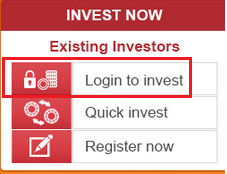
1. Open ICICI Prudential Mutual Fund website and click on below Login to invest link:-
ICICI Prudential MF-Login Page
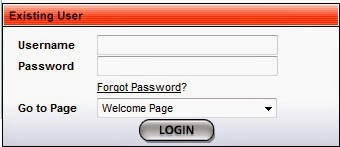
2. Login to the Pru Tracker website by providing your Username and Password.

3. In the next page, click on MAKE A TRANSACTION as shown below:-
ICICI Prudential PHD Fund Online Purchase
ICICI Prudential PHD Fund Online Purchase
4. Select your Folio No. and click on PURCHASE button.

How To Online Update or Change Email ID and Mobile in ICICI Mutual Fund?


UPDATE: The Steps mentioned in this article are no longer valid due to changes in the ICICI Mutual Fund website. 

I have written an UPDATED Article to share the new Steps to change your Email or Mobile details.

Please visit the New Article by clicking here - UPDATED - How To Online Update or Change Email ID and Mobile in ICICI Mutual Fund?


You can ignore the below Steps 🙏 and check the New article link. 👆

Thank you for visiting.
-------------------------------------------------------------

Finance Guru Speaks: This article will guide you on changing or updating your Email ID and/or Mobile No. online in ICICI Prudential Mutual Fund.

Steps to online update your Email ID and/or Mobile No. in ICICI MF :-


1. Visit ICICI Prudential MF Home Page by clicking here.

2. As shown below, click on CUSTOMER SERVICE -> Update Contact Details. 
ICICI MF-Update Contact Details
3. In the Next page, Provide your Folio No. and select Email or Mobile in the Update dropdown depending on what you want to update or change. Provide any of your 2 details like PAN, PIN Code, Bank Account No. and Any Scheme name where you have invested for verification:-


ICICI MF-Update Contact Details
4. OTP will be received on your registered Mobile No. and Email Address. 
ICICI MF-Update Contact Details

5. Enter the OTP and click on Confirm:-
ICICI MF-Update Contact Details

Congratulations! You have successfully updated your Email ID/Mobile No. in ICICI Mutual Fund.
ICICI MF-Update Contact Details


Also Read:

Articles about ICICI Mutual Fund

Images Courtesy: ICICI Prudential Mutual Fund

How To Register Online STP In ICICI Prudential Mutual Fund?


Finance Guru Speaks: Do you want to register STP (Systematic Transfer Plan) from one Mutual Fund to another in ICICI Prudential Mutual Fund House? STP allows the investors to switches a defined amount at a defined interval from one mutual fund to another of the same fund house.

Suppose you have made a lump-sum investment in Fund X so by using STP you can systematically transfer a defined amount (Say Rs. 3000 per month) in Fund Y. Remember both the funds X & Y should be from the same fund house.

Many investors are using STP route to systematically transfer amount from Debt Mutual Fund to Equity Mutual Fund.

Inorder to register online for STP, you should be an existing ICICI MF investor and get registered to its ICICI Pru Tracker website to avail Username and Password.


Steps to register STP Online in ICICI Prudential MF :-


1. Open ICICI Prudential Mutual Fund website and click on below Login to invest link:-
ICICI Prudential MF-Login Page
2. Login to the Pru Tracker website by providing your Username and Password.

3. In the next page, click on MAKE A TRANSACTION as shown below:-
ICICI MF Online Purchase
4. Select your Folio No. and click on STP button.
ICICI Prudential MF - Register STP
Click to enlarge ICICI Prudential MF-Register STP


5. Fill all the details for your STP registration, as shown below and click on SUBMIT button.
Click to enlarge ICICI Prudential MF - Register STP
6. Confirm the details :-
ICICI Prudential MF - Register STP
7. After successful STP registration, you can see below message from ICICI MF.
ICICI Prudential MF - Register STP
Congratulations on your successful online STP registration of ICICI Mutual Fund :-)

Images Courtesy: ICICI Prudential Mutual Fund

Also read:

More Articles on Mutual Funds


 Please share this article over social networks. For more Learning, Please visit "At A Glance" Section.

How To Check ICICI Mutual Fund Account Statement Using Missed Call?


Finance Guru Speaks: This article will provide you detail on how you can receive ICICI Mutual Fund Account Balance Valuation on your Mobile by using Missed Call feature.


Get ICICI Mutual Fund Account Balance By Missed Call


To avail this feature, you need to be an existing ICICI MF investor and your Mobile No. should be registered in your Folio Account.

This is how you can receive ICICI MF Folio details as SMS by using Missed Call:-


Through your registered mobile no. , just give a missed call to 08882244488 to get your folio account balance details.

Once you give a missed call, you will receive SMS as shown below:-

ICICI MF Folio Details on SMS
Click to enlarge - ICICI MF Folio Details on SMS
Congratulations on receiving your ICICI Mutual Fund folio details using Missed call. 👍

Images Courtesy: www.icicipruamc.com

Please help to like, share and comment on this article over your Social Networks. Thanks.
Also read:


How To Purchase ICICI Prudential Mutual Funds Online?

Finance Guru Speaks: Read this article if you want to know how you can purchase ICICI Mutual Fund online.

If you are an existing ICICI MF investor, then first of all get registered to its ICICI Pru Tracker website. Though without registering also, you can make an online purchase however it is always advisable to get registered for better portfolio management.

If you already have your Username & Password, then follow from Step 4 onwards (shown below).

This is how you can register to ICICI MF Online:-

1. Open ICICI Prudential Mutual Fund website and click on below New user link:-
ICICI MF Pru Tracker New User Registration
ICICI MF New User Registration
2. In the next page, follow the easy steps as mentioned and get registered to ICICI MF Pru Tracker for performing online transactions.
ICICI MF Online User Activation

After successful registration, you will get your Username and Password to access ICICI MF Online.

3. As you are a registered user now, click on Login button to access the Pru Tracker website.
ICICI MF Pru Tracker Login
4. Provide your Username and Password and click on Login button.
ICICI MF Pru Tracker Login
5. In the next page, click on MAKE A TRANSACTION as shown below:-